
Python SOAP
How to read a WSDL, create outgoing connections and invoke SOAP operations in Python - with dynamic data, lists and fault handling.
SOAP is a messaging protocol that was popular in the 2000s. Today, it is mostly found in legacy and enterprise systems, such as ERP or banking backends, as well as in healthcare and public-sector networks where it remains the mandated protocol.
If you are familiar with REST and JSON, think of SOAP as an older equivalent:
- Where REST uses JSON, SOAP uses XML
- Where REST has OpenAPI specifications, SOAP has WSDL documents
- Where REST endpoints accept JSON objects, SOAP endpoints accept XML documents called envelopes
In Zato, you never write that XML yourself - you build requests and read responses as plain Python objects, while outgoing SOAP connections take care of envelopes, security and everything else the protocol requires.
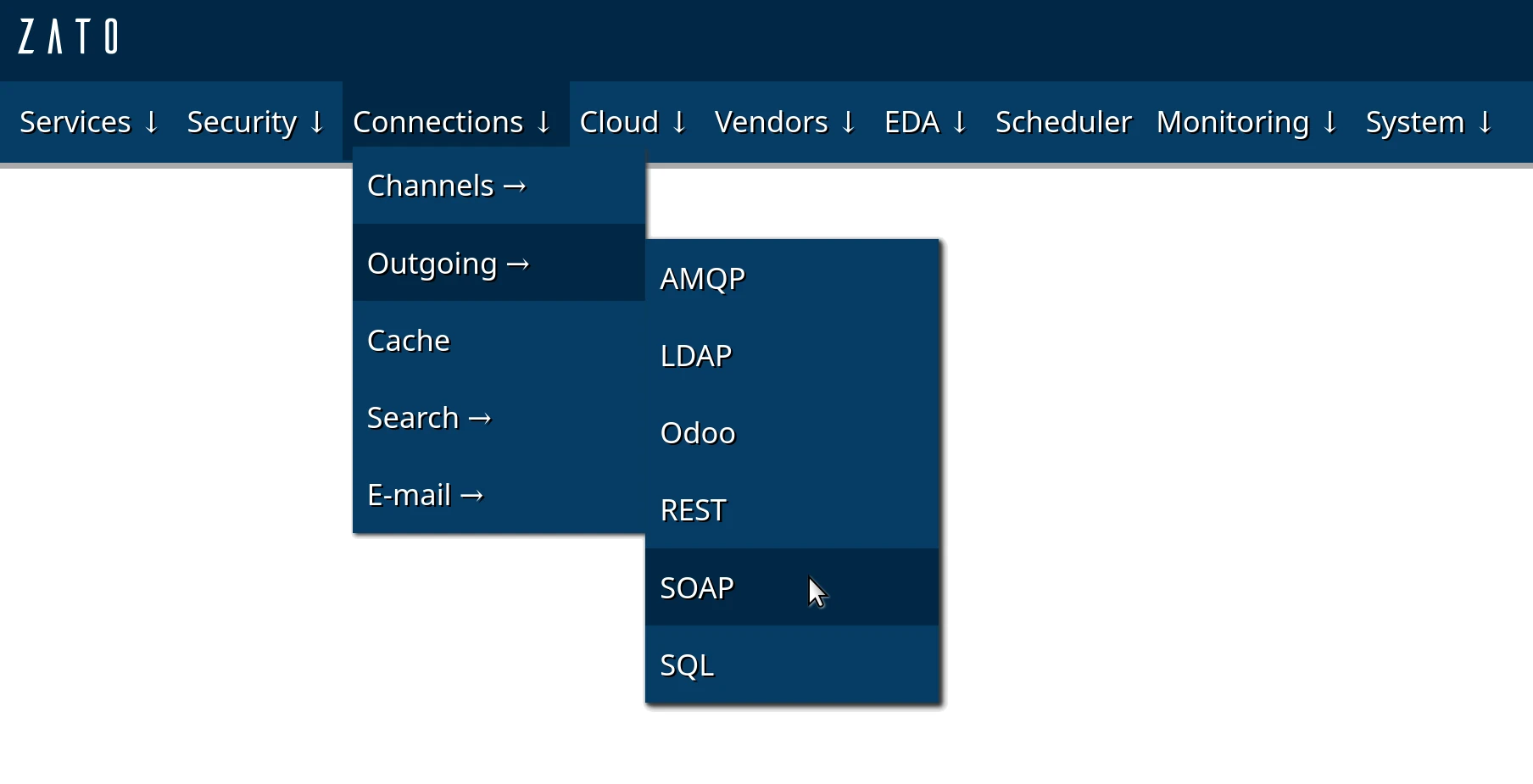
How to read a WSDL file
If you have worked with OpenAPI or Postman, you know that an OpenAPI specification describes what endpoints exist, what parameters they accept, and what responses they return. A WSDL file serves the same purpose for SOAP services.
When you receive a WSDL file from a SOAP service provider, look for:
- Operations - these are like REST endpoints. They have names like
Read,Create, orUpdateand tell you what actions you can perform. - Messages - these describe the input and output parameters for each operation, similar to request and response schemas in OpenAPI.
- Types - these define the data structures, like OpenAPI's component schemas.
For example, if you see an operation called CreatePOHeader that accepts parameters like orderNo, vendor, and amount, you know your request needs those fields inside the operation element - which in Zato means assigning three attributes to a message object, in that order.
You never compile the WSDL or generate code from it - it is documentation you read, nothing your services depend on.
Authentication
SOAP outgoing connections support the following authentication methods:
- HTTP Basic Auth - standard username and password authentication
- NTLM - Windows-based authentication, commonly used with Microsoft systems such as Dynamics NAV and Business Central
- WS-Security - UsernameToken, X.509 signing and encryption, and SAML assertions
- Body credentials - username and password injected into the request body itself
- Client certificates - mutual TLS for endpoints that authenticate at the transport layer
You configure these in the security definition dropdown and the Security tab when creating a SOAP outgoing connection - see SOAP security for the details of each method.
Invoking a SOAP endpoint
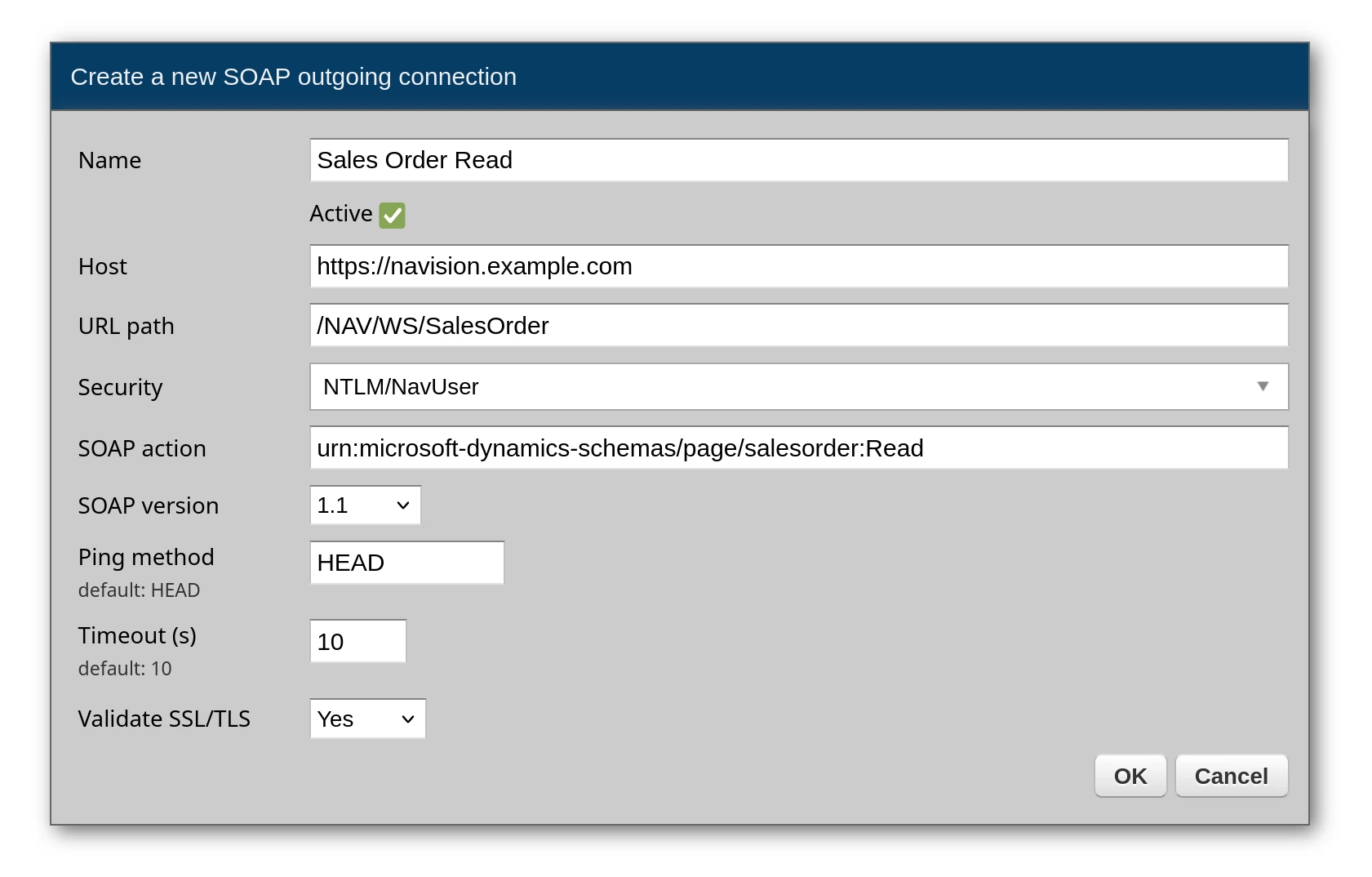
First, create an outgoing SOAP connection. Each SOAP action requires its own outgoing connection - if you need to call three different operations, you create three separate connections.
The SOAP action field is specific to each operation. You find these values in the WSDL file under <soap:operation soapAction="..."> elements.
Microsoft Dynamics NAV and Dynamics 365 Business Central on-premises are a typical example - they publish their pages and codeunits as SOAP web services, at addresses such as http://bc-server:7047/BC/WS/CRONUS/Page/SalesOrder, and their WSDLs list actions like these:
- Reading a sales order:
urn:microsoft-dynamics-schemas/page/salesorder:Read - Creating a sales order:
urn:microsoft-dynamics-schemas/page/salesorder:Create - Creating a purchase order header:
urn:microsoft-dynamics-schemas/codeunit/PurchaseOrderWebService:CreatePOHeader
Here is an example of a SOAP outgoing connection:
Now, you can invoke it from a service, like this:
# -*- coding: utf-8 -*-

# Zato
from zato.common import SOAPMessage
from zato.server.service import Service

# ###############################################################################

class ReadSalesOrder(Service):

    name = 'example.soap.sales-order.read'

    def handle(self) -> 'None':

        # Build the request - each attribute becomes an element
        request = SOAPMessage()
        request.namespace = 'urn:example-schemas/page/salesorder'
        request.No = 'ABC-123'

        # Obtain the connection object
        conn = self.soap['Sales Order Read']

        # Invoke the SOAP endpoint
        response = conn.invoke('Read', request)

        # Read the response with dot access
        self.logger.info('Order status: %s', response.ReadResponse.SalesOrder.Status)

# ###############################################################################
The operation name - Read here - becomes the element inside the SOAP body, the request message becomes its children, and the parsed response is returned as a Python object too, so reading it is dot access again.
Using dynamic data
Since requests are ordinary Python objects, dynamic data is ordinary Python assignment - no string formatting and no escaping concerns:
# -*- coding: utf-8 -*-

# Zato
from zato.common import SOAPMessage
from zato.server.service import Service

# ###############################################################################

class CreateOrder(Service):

    name = 'example.soap.order.create'

    def handle(self) -> 'None':

        # Input from caller
        order_no = self.request.input['order_no']
        vendor = self.request.input['vendor']
        amount = self.request.input['amount']

        # Build the SOAP request with dynamic data
        request = SOAPMessage()
        request.namespace = 'urn:example-schemas/codeunit/OrderService'
        request.orderNo = order_no
        request.vendor = vendor
        request.amount = amount

        # Invoke the SOAP endpoint
        response = self.soap['Order Create'].invoke('CreateOrder', request)

        # Return the response to caller
        self.response.payload = response.CreateOrderResponse.return_value

# ###############################################################################
Embedding multiple items
When a SOAP request needs to contain a list of items, assign a list - each element of the list becomes a repeated XML element:
# -*- coding: utf-8 -*-

# Zato
from zato.common import SOAPMessage
from zato.server.service import Service

# ###############################################################################

class CreateSalesOrder(Service):

    name = 'example.soap.sales-order.create'

    def handle(self) -> 'None':

        # Input from caller
        order_no = self.request.input['order_no']
        customer_no = self.request.input['customer_no']
        items = self.request.input['items']

        # Build one node per line item
        lines = []

        for item in items:
            line = SOAPMessage()
            line.No = item['no']
            line.Description = item['description']
            line.Quantity = item['quantity']
            line.Unit_Price = item['unit_price']
            lines.append(line)

        # Build the SOAP request with embedded items
        request = SOAPMessage()
        request.namespace = 'urn:example-schemas/page/salesorder'
        request.SalesOrder.No = order_no
        request.SalesOrder.Customer_No = customer_no
        request.SalesOrder.Lines.Line = lines

        # Invoke the SOAP endpoint
        response = self.soap['Sales Order Create'].invoke('Create', request)

        # Return the new order's number to caller
        self.response.payload = response.CreateResponse.SalesOrder.No

# ###############################################################################
Handling SOAP faults
When the endpoint rejects a request, the error is raised as a SOAPFault exception - you never parse fault XML yourself:
# -*- coding: utf-8 -*-

# Zato
from zato.common import SOAPMessage
from zato.common.soap.common import SOAPFault
from zato.server.service import Service

# ###############################################################################

class ReadOrderSafely(Service):

    name = 'example.soap.order.read-safely'

    def handle(self) -> 'None':

        request = SOAPMessage()
        request.No = self.request.input['order_no']

        try:
            response = self.soap['Sales Order Read'].invoke('Read', request)
        except SOAPFault as fault:
            self.logger.warning('SOAP fault: %s %s', fault.code, fault.reason)
            self.response.status_code = 502
        else:
            self.response.payload = response.ReadResponse.SalesOrder.Status

# ###############################################################################
Going further
The connection's SOAP and Security tabs enable the rest of the protocol without any code changes - WS-Security definitions, WS-Addressing headers and MTOM attachments for binary payloads. The SOAP integrations pillar covers all of it.
Learn more
- SOAP tutorial - call any SOAP service with Python objects
- REST in Python - the same services exposed and called over REST
- SOAP security - WS-Security, body credentials and client certificates
- Advanced, in-depth API architecture tutorial - master architectural patterns and explore Zato's full capabilities
- Modern REST API tutorial in Python to teach how to build REST APIs in the contemporary world
- Python scheduler tutorial to show you how to create background jobs and tasks
- API testing in plain English tutorial for all your API testing and QA needs
- DevOps tutorial on how to reproducibly build Zato environments