
Hot deployment
How to deploy code without server restarts.
Hot deployment is a feature of Zato which lets you deploy code to a running Zato environment without server restarts. You save a file, within a few seconds it's deployed, and it never interrupts anything, e.g. the server keeps processing its requests, the scheduler executes jobs and so on.
In this way, you can hot-deploy Python services, models, config files, or rule engine files.
How to do it exactly depends on whether the container with Zato is running in the same system that you're saving the code from, or if you're connecting from VS Code to a remote server.
Deploying to local containers
It's recommended that you use the blueprint project for your Zato deployments, and among its benefits is that it will set up directory mappings between your host (e.g. Windows) and the container with Zato.
This will let you simply press Ctrl-S in your IDE, and that will be recognized as a hot-deploy event inside the container. The end result will be that each time you'll save a file, it will hot-deploy to the server inside your container.
The same works from the command line - for instance, you may have a production environment in which you need to apply a quick fix, without the ability to rebuild the whole environment. You can edit such a file in vim, save it, and it will be hot-deployed automatically.
myproject
├── config
│   ├── enmasse
│   │   └── enmasse.yaml <---------- Press Ctrl-S to hot-deploy enmasse configuration
│   ├── python-reqs
│   │   └── requirements.txt
│   └── user-conf        <---------- Press Ctrl-S to hot-deploy .ini config files
│       └── myproject.ini
├── impl
│   ├── scripts
│   │   ├── run-container.sh
│   │   └── run-tests.sh
│   └── src <----------------------- Press Ctrl-S to hot-deploy in sub-directories here
│       └── api
│           └── crm.py
└── testing
    └── tests
        ├── test_billing.py
        └── test_crm.py
Deploying from VS Code to remote servers
If the container with Zato runs on a different system than you VS Code instance, you can install this VS Code plugin for remote deployments.
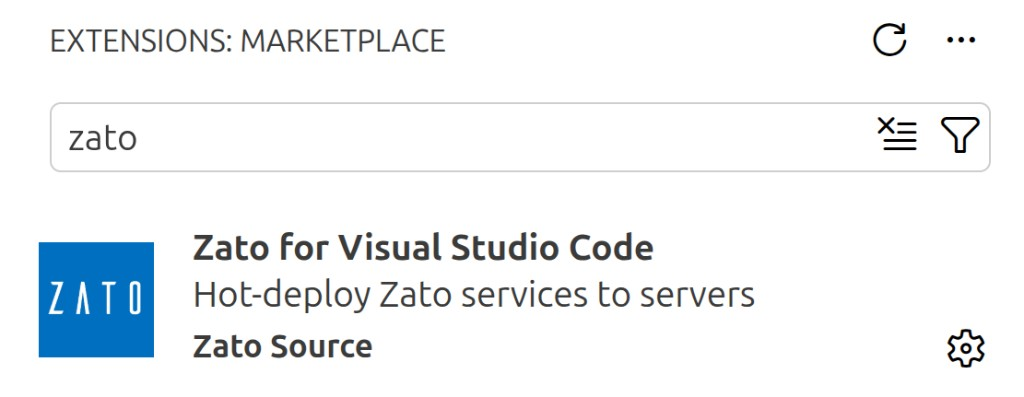
You'll add a special marker to a file to let the plugin understand it's a file that it needs to work with, and then each you save that file, it will hot-deploy to your remote server.
Import dependencies
No matter which way you do it, if the code you hot-deploy is used by other Python files, they will auto-refresh automatically.
As an example, let's say you have just deployed a file called "common/models.py" and there are already deployed services which import from it, for instance using "from common.models import Customer".
In this case, all these already deployed services will auto-refresh automatically on the server to pick up the latest changes from the model file you've deployed. That is, unless you changed these services in your local IDE as well, it's not needed to deploy them again merely for them to start using the new model.