Once you have tests for your Zato services, you want them to run automatically on every commit. This page shows how to set up Azure DevOps and GitHub Actions to run your tests and report results.
Note: If you're new to unit testing with Zato, check the tutorial first. The DevOps blueprint includes ready-to-use pipeline configurations.
The best way for you get started with it is simply to clone the blueprint repository, copy it over to your own organization on Azure or GitHub, and just push it to git.
This will automatically trigger the tests, and you'll get a report as below.
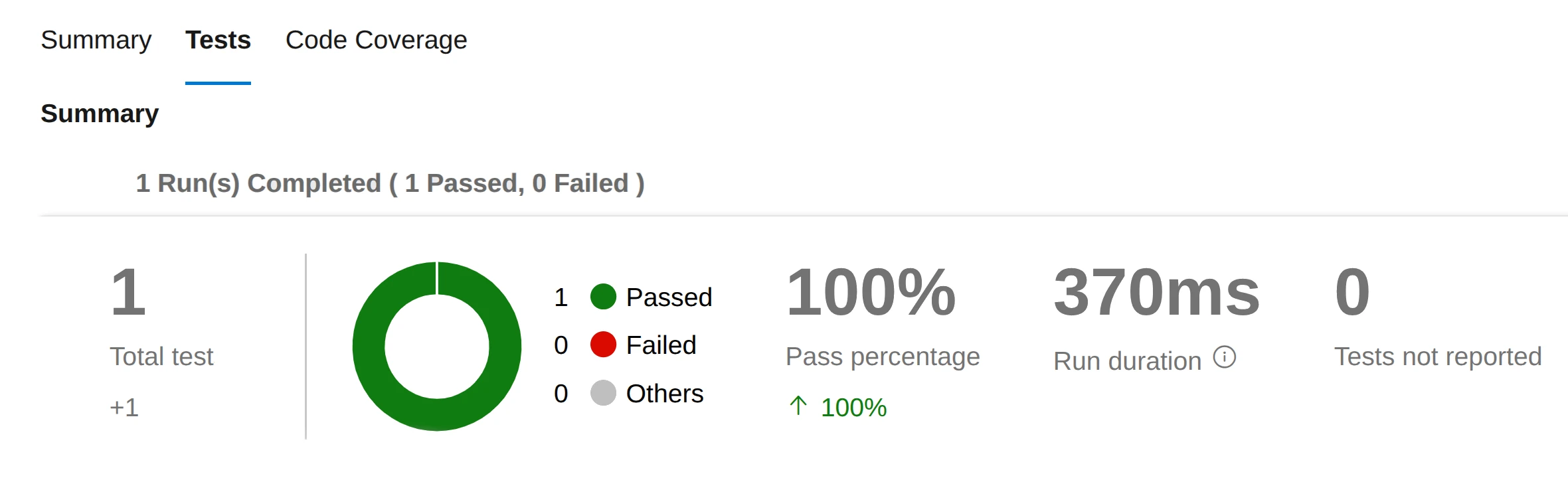
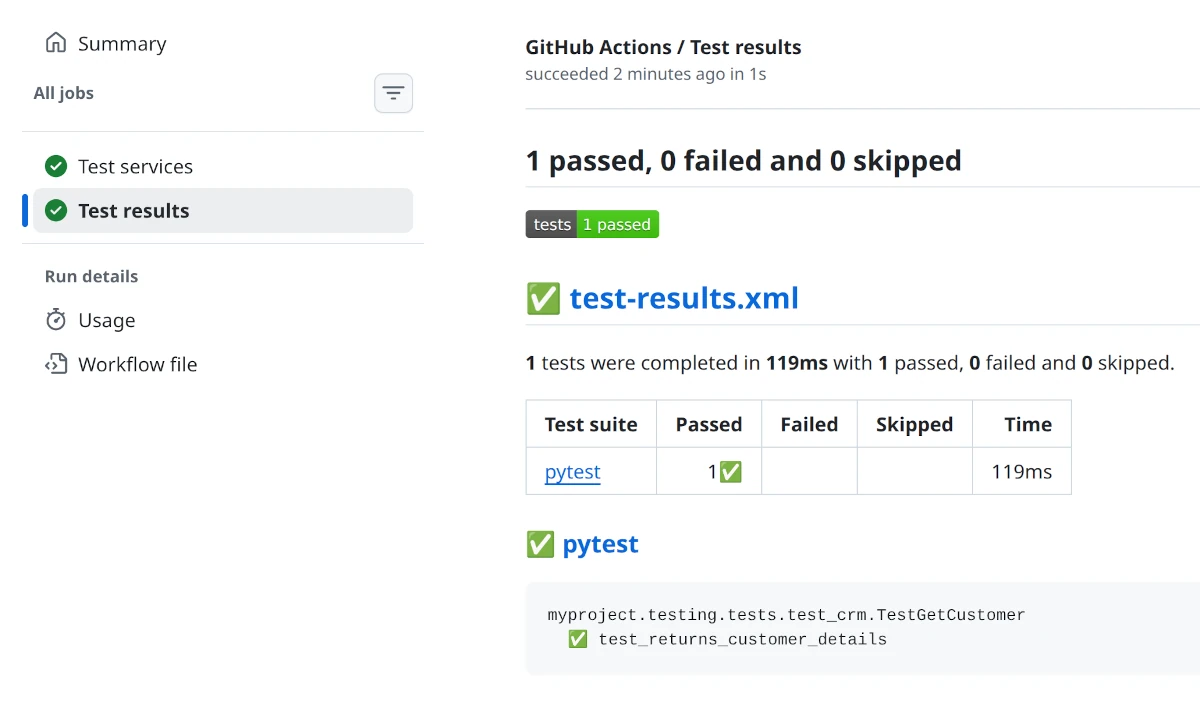
Both pipelines (Azure and GitHub) run tests automatically when you push to main or develop. You can just customize them per your own requirements, the default configuration is meant to be a blueprint, and you may want to fine tune it as needed.
The key part of each configuration is the test command:
This sets PYTHONPATH so Python can import your services from impl/src, runs pytest against your test directory, and outputs results in JUnit XML format. The pipelines then publish these results to the CI/CD platform's UI so you can see pass/fail status directly.
In your blueprint-based projects, place your tests under testing/tests, as this is where the pipelines except them to be, so your entire project will look like this:
├── .github
│   └── workflows
│       └── test.yml
├── azure-pipelines.yml
└── myproject
    ├── impl
    │   └── src
    │       └── api
    │           └── crm.py
    └── testing
        └── tests
            └── test_crm.py
In short:
| Path | Description |
|---|---|
| azure-pipelines.yml | Azure DevOps pipeline |
| .github/workflows/test.yml | GitHub Actions workflow |
| myproject/impl/src/api | This is where your services are |
| myproject/testing/tests | Unit tests for the services |
Note that both Azure DevOps and GitHub require for their configuration files to be in these specific locations, otherwise the pipelines won't be triggered.
For reference, to make it easier for your AI to set it all up, here's what the pipeline files look like by default:
trigger:
  branches:
    include:
      - main
      - develop

pool:
  vmImage: 'ubuntu-latest'

steps:
  - task: UsePythonVersion@0
    inputs:
      versionSpec: '3.12'
    displayName: 'Set up Python'

  - script: pip install pytest zato-testing
    displayName: 'Install dependencies'

  - script: |
      PYTHONPATH=myproject/impl/src pytest myproject/testing/tests/ -v --junitxml=test-results.xml
    displayName: 'Run tests'

  - task: PublishTestResults@2
    inputs:
      testResultsFormat: 'JUnit'
      testResultsFiles: 'test-results.xml'
    condition: always()
    displayName: 'Publish test results'
name: Test Zato services

on:
  push:
    branches: [main, develop]

permissions:
  contents: read
  checks: write

env:
  FORCE_JAVASCRIPT_ACTIONS_TO_NODE24: true

jobs:
  test:
    name: Test services
    runs-on: ubuntu-latest

    steps:
      - uses: actions/checkout@v4

      - name: Set up Python
        uses: actions/setup-python@v5
        with:
          python-version: '3.12'

      - name: Install dependencies
        run: pip install pytest zato-testing

      - name: Run tests
        run: PYTHONPATH=myproject/impl/src pytest myproject/testing/tests/ -v --junitxml=test-results.xml

      - name: Publish test results
        uses: dorny/test-reporter@v1
        if: always()
        with:
          name: Test results
          path: test-results.xml
          reporter: java-junit
The same approach works with any CI/CD platform - GitLab CI, Jenkins, Bitbucket Pipelines, CircleCI, or any other system that can run shell commands.
The core concept is always the same:
PYTHONPATH to point to your services directory so Python can import them--junitxml to produce a standard test reportEvery CI/CD platform has its own way to publish JUnit results - consult your platform's documentation for the specific syntax.
