Zato can connect to any GraphQL server through outgoing connections. This lets your services query and mutate data on systems that expose a GraphQL API, such as Microsoft 365, GitHub, Shopify, Hasura or any custom GraphQL backend.
There are two ways to work with GraphQL in Zato:
Both approaches use the same underlying outgoing connection created in Dashboard. The connection handles transport, timeouts and authentication transparently.
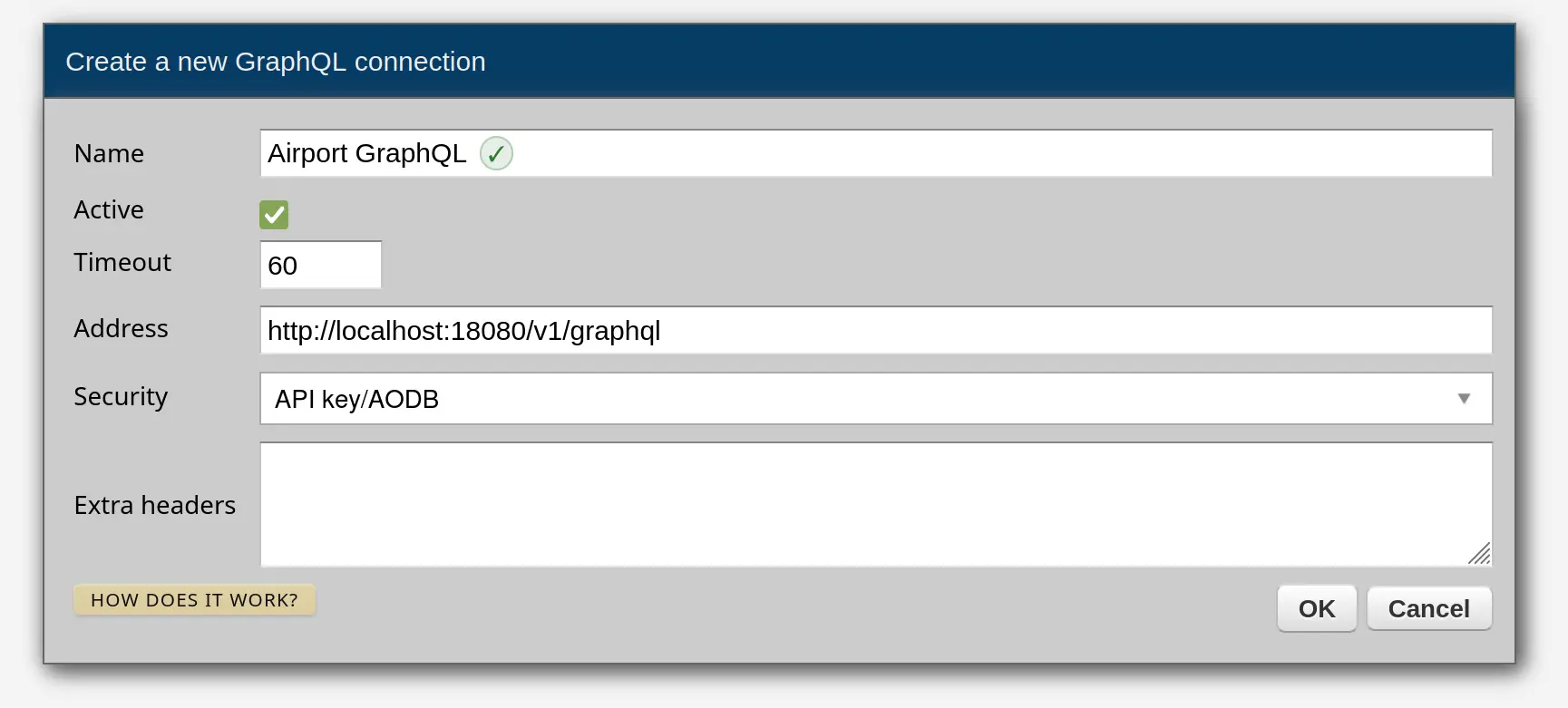
To get started, create a GraphQL outgoing connection in Connections -> Outgoing -> GraphQL in Dashboard, then use self.out.graphql in your service to access the connection by name.
All examples on this page assume a GraphQL server that exposes an airport operations schema with types such as Flight, Runway and Gate. The outgoing connection is called "Airport GraphQL" in Dashboard.
The simplest approach is to pass a query string to .execute(). The string is automatically parsed before being sent to the server.
# -*- coding: utf-8 -*-

# Zato
from zato.server.service import Service

class GetActiveFlights(Service):

    def handle(self):

        # Get the connection by the name configured in Dashboard
        conn = self.out.graphql['Airport GraphQL']

        # Query all flights that are currently airborne
        query = """
            {
                flights(status: "airborne") {
                    id
                    flight_number
                    origin
                    destination
                    status
                }
            }
        """

        result = conn.execute(query)

        self.logger.info('Flights: %s', result)
.invoke() is available as an alias for .execute() - both methods do exactly the same thing.
Pass a params dict to provide GraphQL variables to your queries.
# -*- coding: utf-8 -*-

# Zato
from zato.server.service import Service

class GetFlightById(Service):

    input = 'flight_id'

    def handle(self):
        conn = self.out.graphql['Airport GraphQL']

        query = """
            query GetFlight($flight_id: ID!) {
                flight(id: $flight_id) {
                    id
                    flight_number
                    origin
                    destination
                    departure_time
                    gate {
                        name
                        terminal
                    }
                }
            }
        """

        params = {'flight_id': self.request.input.flight_id}
        result = conn.execute(query, params=params)

        self.response.payload = result
Mutations work the same way as queries - use .execute() with a mutation string and optional variables.
# -*- coding: utf-8 -*-

# Zato
from zato.server.service import Service

class AssignFlightGate(Service):

    input = 'flight_id', 'gate_id'

    def handle(self):
        conn = self.out.graphql['Airport GraphQL']

        mutation = """
            mutation AssignGate($flight_id: ID!, $gate_id: ID!) {
                assignGate(flightId: $flight_id, gateId: $gate_id) {
                    id
                    flight_number
                    gate {
                        name
                        terminal
                    }
                }
            }
        """

        params = {
            'flight_id': self.request.input.flight_id,
            'gate_id': self.request.input.gate_id,
        }

        result = conn.execute(mutation, params=params)

        self.logger.info('Gate assigned: %s', result)
For more complex scenarios, the gql library's DSL module lets you build queries programmatically using Python objects. This gives you auto-completion in your IDE, compile-time field validation and avoids string manipulation.
Use .session() to open a connection that fetches the server's schema, then build queries using the DSLSchema object.
# -*- coding: utf-8 -*-

# gql
from gql.dsl import DSLQuery, dsl_gql

# Zato
from zato.server.service import Service

class GetFlightsDSL(Service):

    def handle(self):
        conn = self.out.graphql['Airport GraphQL']

        with conn.session() as (session, schema):

            query = dsl_gql(
                DSLQuery(
                    schema.Query.flights.select(
                        schema.Flight.id,
                        schema.Flight.flight_number,
                        schema.Flight.origin,
                        schema.Flight.destination,
                    )
                )
            )

            result = session.execute(query)

        self.logger.info('Flights: %s', result)
The DSL approach is particularly useful when query structure depends on runtime conditions:
# -*- coding: utf-8 -*-

# gql
from gql.dsl import DSLQuery, dsl_gql

# Zato
from zato.server.service import Service

class GetFlightsConditional(Service):

    def handle(self):
        conn = self.out.graphql['Airport GraphQL']

        with conn.session() as (session, schema):

            # Start with core fields
            fields = [schema.Flight.id, schema.Flight.flight_number, schema.Flight.status]

            # Add optional fields based on the caller's request
            if self.request.input.include_gate:
                fielschema.append(schema.Flight.gate)

            if self.request.input.include_crew:
                fielschema.append(schema.Flight.crew)

            query = dsl_gql(
                DSLQuery(
                    schema.Query.flights.select(*fields)
                )
            )

            result = session.execute(query)

        self.logger.info('Flights: %s', result)
Use .ping() to verify that the connection to the GraphQL server is working. This sends a schema introspection query and returns True if the server responschema.
# -*- coding: utf-8 -*-

# Zato
from zato.server.service import Service

class PingGraphQL(Service):

    def handle(self):
        conn = self.out.graphql['Airport GraphQL']

        is_alive = conn.ping()
        self.logger.info('Server alive: %s', is_alive)
GraphQL connections are secured the same way as all other Zato outgoing connections - by attaching a security definition to the connection. The security definition is created separately in Security in Dashboard and then assigned to the GraphQL connection when you create or edit it.
The following security types are supported:
Authorization: Bearer <token>No code changes are needed when security is configured - the connection handles authentication transparently. Your service code looks the same regardless of which security mechanism is used.
Security definitions can also be managed through enmasse for automated deployments.
If you need to send additional HTTP headers with every request to the GraphQL server, use the "Extra headers" field on the connection. It accepts a JSON object where each key is a header name and each value is the header value.
For example, to send a tenant identifier and a custom tracing header:
These headers are merged into every request made through the connection, whether using .execute() or .session().
Book a demo with an expert who will help you build meaningful systems that match your ambitions
"For me, Zato Source is the only technology partner to help with operational improvements."
 - John Adams
Program Manager of Channel Enablement at Keysight 
