SOAP is a messaging protocol that was popular in the 2000s. Today, it is mostly found in legacy and enterprise systems, such as ERP or banking backends, and you can indeed still encounter it in practice from time to time.
If you are familiar with REST and JSON, think of SOAP as an older equivalent:
In Zato, SOAP outgoing connections allow you to invoke external SOAP-based endpoints by building XML requests directly in Python.
If you have worked with OpenAPI or Postman, you know that an OpenAPI specification describes what endpoints exist, what parameters they accept, and what responses they return. A WSDL file serves the same purpose for SOAP services.
When you receive a WSDL file from a SOAP service provider, look for:
Read, Create, or Update and tell you what actions you can perform.For example, if you see an operation called CreatePOHeader that accepts parameters like orderNo, vendor, and amount, you know you need to build an XML request with those fields inside the operation element.
In practice, you take the operation name and parameters from the WSDL and construct your XML request accordingly.
Check the examples below that will show you to work with real-world, SOAP-based endpoints. In this case, it's an ERP system, Microsoft Dynamics NAV (Navision).
SOAP outgoing connections support the following authentication methods:
You configure these in the security definition dropdown when creating a SOAP outgoing connection.
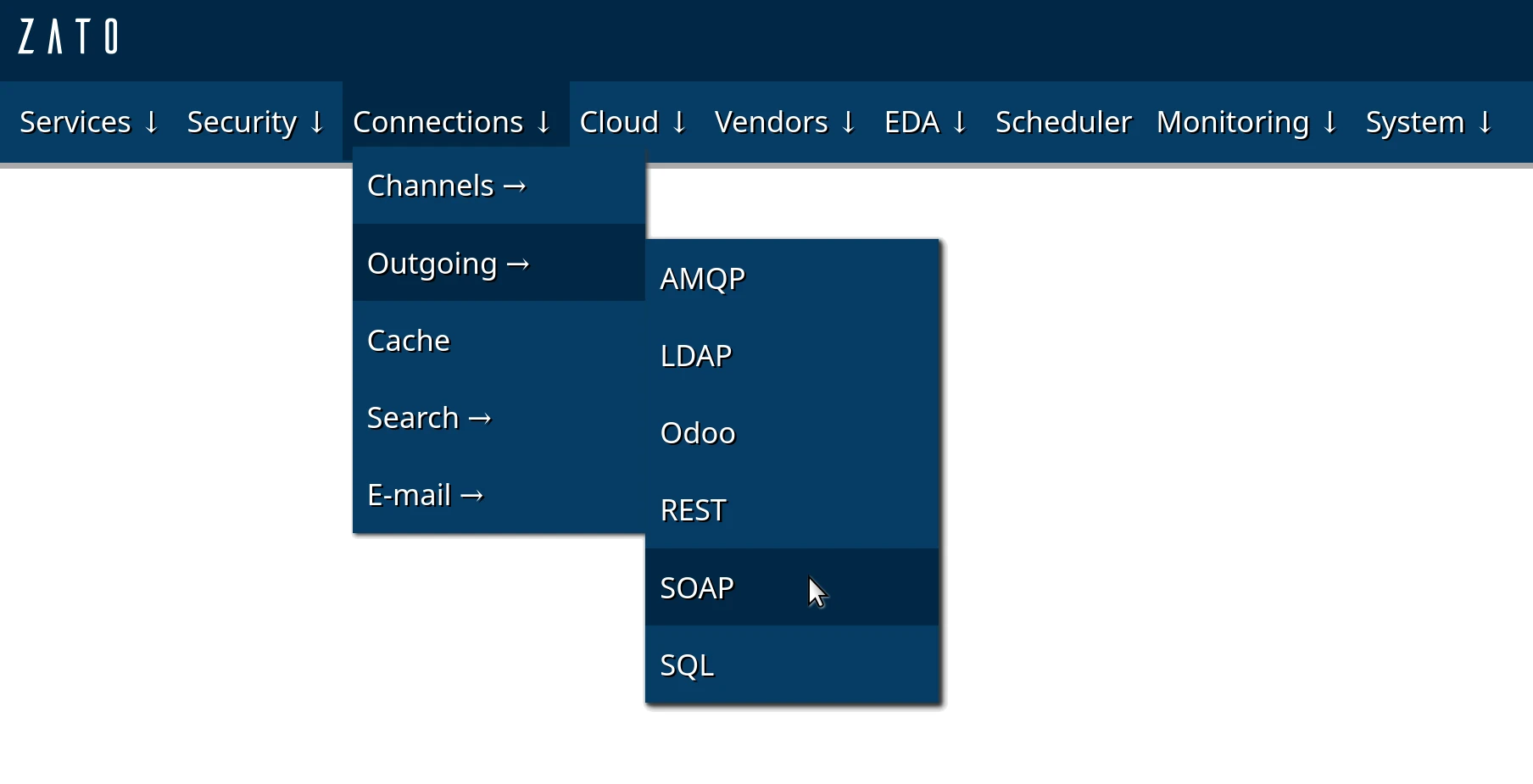
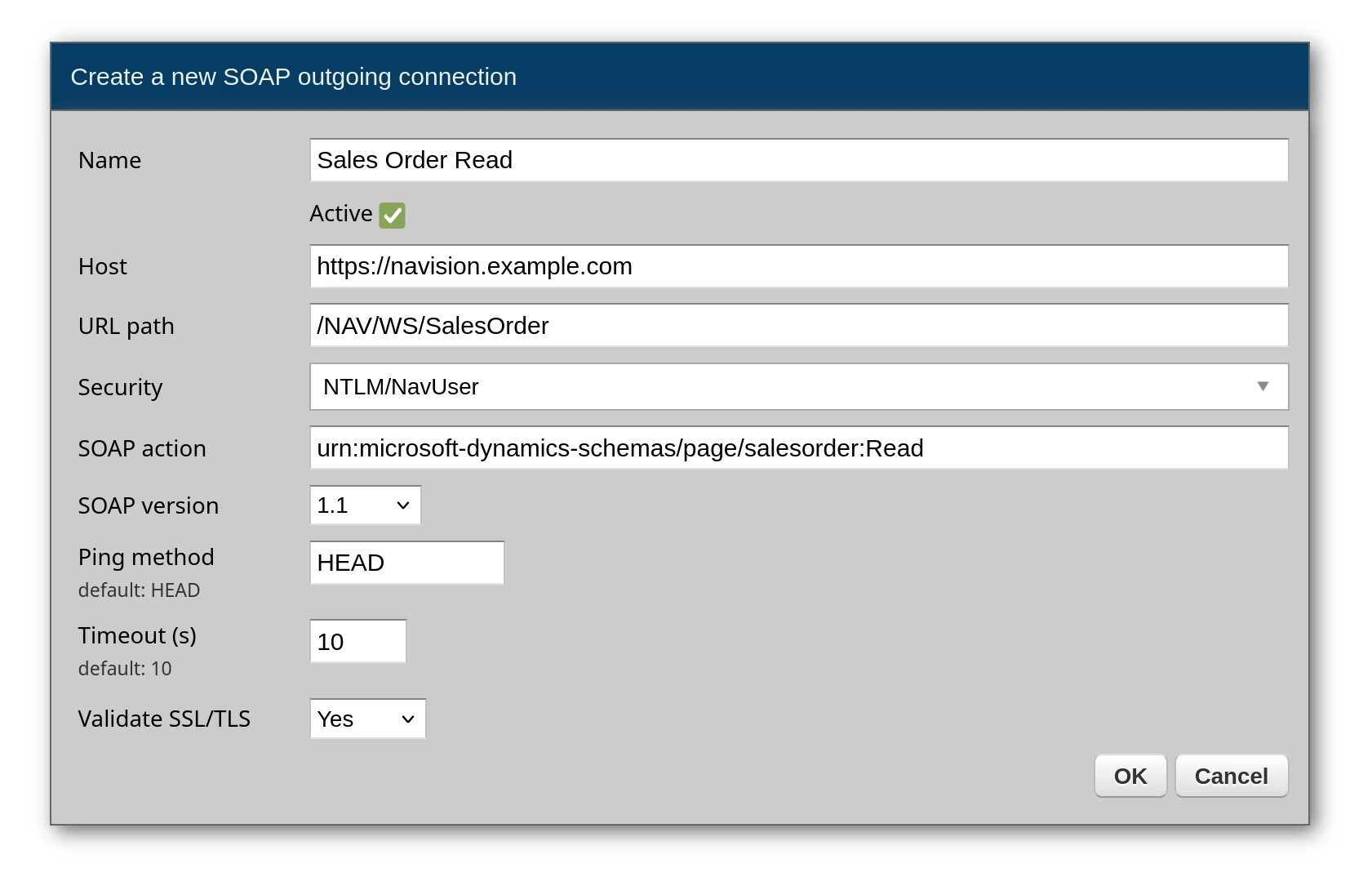
First, create an outgoing SOAP connection. Each SOAP action requires its own outgoing connection - if you need to call three different operations, you create three separate connections.
The SOAP action field is specific to each operation. You find these values in the WSDL file under <soap:operation soapAction="..."> elements. Examples:
urn:microsoft-dynamics-schemas/page/salesorder:Readurn:microsoft-dynamics-schemas/page/salesorder:Createurn:microsoft-dynamics-schemas/codeunit/PurchaseOrderWebService:CreatePOHeaderHere is an example of a SOAP outgoing connection:
Now, you can invoke it from a service, like this:
# -*- coding: utf-8 -*-

# Zato
from zato.server.service import Service

# ###############################################################################

if 0:
    from zato.server.connection.http_soap.outgoing import HTTPSOAPWrapper

# ###############################################################################

class ReadSalesOrder(Service):

    name = 'example.soap.sales-order.read'

    def handle(self) -> 'None':

        # SOAP request to send
        data = """
         <soapenv:Envelope
               xmlns:soapenv="http://schemas.xmlsoap.org/soap/envelope/"
               xmlns:sal="urn:example-schemas/page/salesorder">
            <soapenv:Header/>
            <soapenv:Body>
               <sal:Read>
                  <sal:No>ABC-123</sal:No>
               </sal:Read>
            </soapenv:Body>
         </soapenv:Envelope>
        """

        # Obtain the connection object
        conn:'HTTPSOAPWrapper' = self.out.soap['Sales Order Read'].conn

        # Invoke the SOAP endpoint
        response = conn.send(self.cid, data)

        # Log the response
        self.logger.info('SOAP response -> %s', response.data)

# ###############################################################################
SOAP requests can be built dynamically using f-strings or string formatting:
# -*- coding: utf-8 -*-

# Zato
from zato.server.service import Service

# ###############################################################################

if 0:
    from zato.server.connection.http_soap.outgoing import HTTPSOAPWrapper

# ###############################################################################

class CreateOrder(Service):

    name = 'example.soap.order.create'

    def handle(self) -> 'None':

        # Input from caller
        order_no = self.request.input['order_no']
        vendor = self.request.input['vendor']
        amount = self.request.input['amount']

        # Build the SOAP request with dynamic data
        data = f"""
        <soapenv:Envelope
              xmlns:soapenv="http://schemas.xmlsoap.org/soap/envelope/"
              xmlns:ord="urn:example-schemas/codeunit/OrderService">
            <soapenv:Header/>
            <soapenv:Body>
                <ord:CreateOrder>
                    <ord:orderNo>{order_no}</ord:orderNo>
                    <ord:vendor>{vendor}</ord:vendor>
                    <ord:amount>{amount}</ord:amount>
                </ord:CreateOrder>
            </soapenv:Body>
        </soapenv:Envelope>
        """

        # Obtain the connection object
        conn:'HTTPSOAPWrapper' = self.out.soap['Order Create'].conn

        # Invoke the SOAP endpoint
        response = conn.send(self.cid, data)

        # Return the response to caller
        self.response.payload = response.data

# ###############################################################################
When a SOAP request needs to contain a list of items, you can build them in a loop:
# -*- coding: utf-8 -*-

# Zato
from zato.server.service import Service

# ###############################################################################

if 0:
    from zato.server.connection.http_soap.outgoing import HTTPSOAPWrapper

# ###############################################################################

class CreateSalesOrder(Service):

    name = 'example.soap.sales-order.create'

    def handle(self) -> 'None':

        # Input from caller
        order_no = self.request.input['order_no']
        customer_no = self.request.input['customer_no']
        items = self.request.input['items']

        # Build a string with all the line items
        items_xml = ''

        for item in items:
            items_xml += f"""<sal:Line>
                                <sal:No>{item['no']}</sal:No>
                                <sal:Description>{item['description']}</sal:Description>
                                <sal:Quantity>{item['quantity']}</sal:Quantity>
                                <sal:Unit_Price>{item['unit_price']}</sal:Unit_Price>
                            </sal:Line>
                            """

        # Build the SOAP request with embedded items
        data = f"""
        <soapenv:Envelope
               xmlns:soapenv="http://schemas.xmlsoap.org/soap/envelope/"
               xmlns:sal="urn:example-schemas/page/salesorder">
            <soapenv:Header/>
            <soapenv:Body>
                <sal:Create>
                    <sal:SalesOrder>
                        <sal:No>{order_no}</sal:No>
                        <sal:Customer_No>{customer_no}</sal:Customer_No>
                        <sal:Lines>
                            {items_xml.strip()}
                        </sal:Lines>
                    </sal:SalesOrder>
                </sal:Create>
            </soapenv:Body>
        </soapenv:Envelope>
        """.encode('utf8')

        # Obtain the connection object
        conn:'HTTPSOAPWrapper' = self.out.soap['Sales Order Create'].conn

        # Invoke the SOAP endpoint
        response = conn.send(self.cid, data)

        # Return the response to caller
        self.response.payload = response.data

# ###############################################################################
Book a demo with an expert who will help you build meaningful systems that match your ambitions
"For me, Zato Source is the only technology partner to help with operational improvements."
 - John Adams
Program Manager of Channel Enablement at Keysight 
