If your environment already has an API gateway - Azure API Management, AWS API Gateway, Kong, or similar - you may want to offload security checks, rate limiting or other tasks to the gateway, while keeping all the business logic in Zato.
In such a setup, your API gateway will invoke a single Zato REST gateway channel, passing to your services all the business data or metadata, without exposing each of the services individually to the gateway.
This will let you, for instance, keep your Zato installation on your own premises, or in a secure cloud location with restricted public access, while still using a public API gateway running in the cloud in front of it.
Note that your Zato services will work the same way whether invoked directly or through the gateway. You don't need to change them for this configuration to work.
Read below to learn how to set it all up.
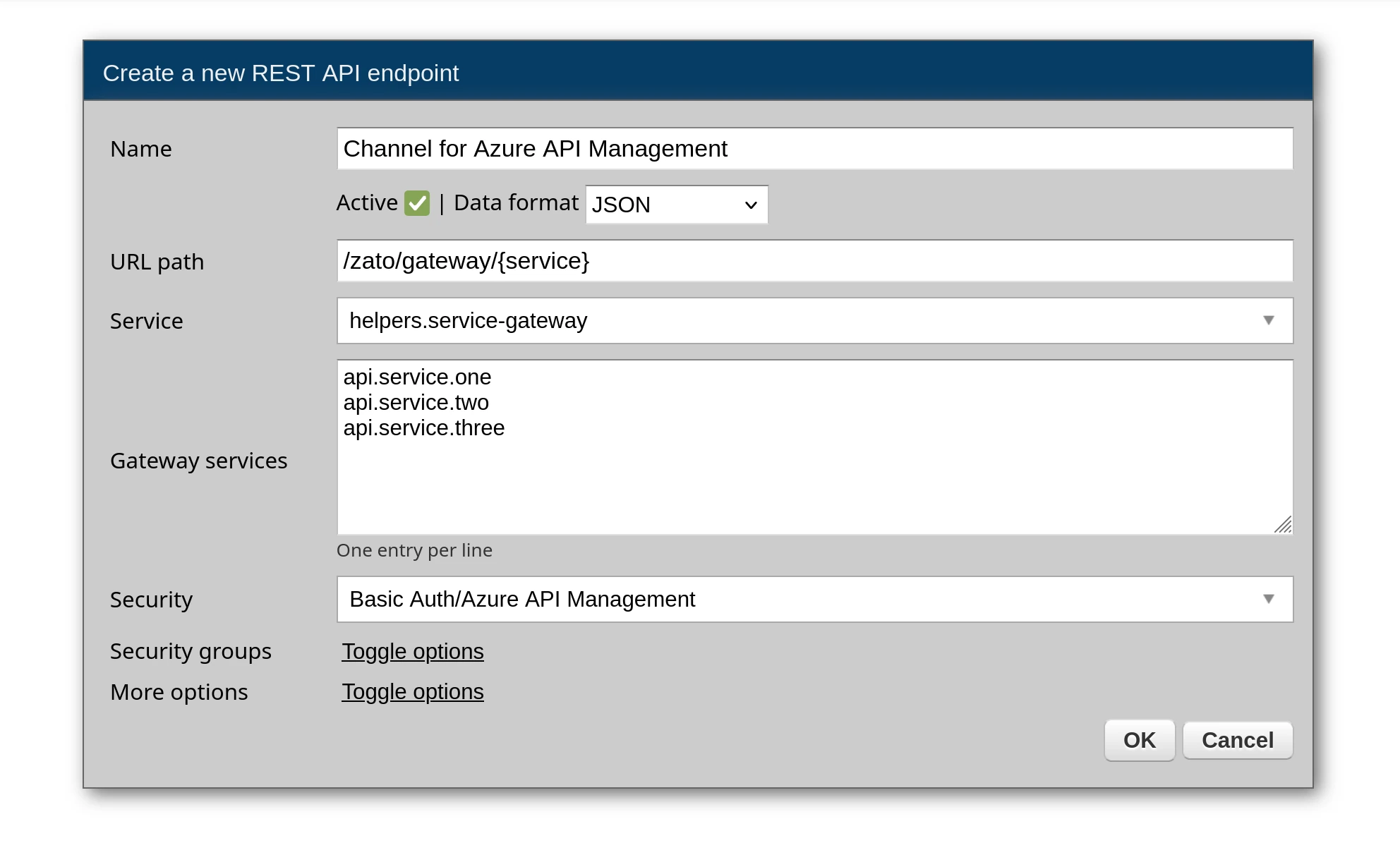
Go to Connections → Channels → REST and create a channel:
When you select helpers.service-gateway, the URL path is automatically set to /zato/gateway/{service} but you can change it to any other, as you prefer.
A Gateway services textarea appears. Enter allowed services, one per line, e.g.:
Once created, gateway channels will display a GW badge in the list.

Simply write your services in Python as always, without any changes, no gateway-specific code is required. Just write everything as usual, but note that you will have access to some extra metadata too.
For instance, you may want to have a service like this below:
from dataclasses import dataclass
from zato.server.service import Model, Service

@dataclass
class GetCustomerRequest(Model):
    customer_id: int

@dataclass
class GetCustomerResponse(Model):
    name: str
    email: str
    tier: str

class GetCustomer(Service):

    name = 'customer.get'
    input = GetCustomerRequest
    output = GetCustomerResponse

    def handle(self):

        # Extract the API caller name
        username = self.channel.security.username

        # Log who's calling us
        self.logger.info(f'API call from {username}')

        # Access the business data from request
        customer_id = self.request.input.customer_id

        # Access custom headers from the gateway
        tenant = self.request.http.headers.get('x-zato-tenant', '')

        # Invoke another service
        customer = self.invoke('customer.get-details', customer_id, tenant=tenant)

        # Build the response
        self.response.payload.name = customer.name
        self.response.payload.email = customer.email
        self.response.payload.tier = customer.tier
The service works identically when called directly or through the gateway:
self.request.input contains the parsed requestself.channel.security.username contains the authenticated userself.response.payload returns the responseAll HTTP headers that the gateway forwards to Zato are available in self.request.http.headers. Header names are normalized to lowercase with dashes, e.g. x-zato-tenant.
def handle(self):
    tenant = self.request.http.headers.get('x-zato-tenant')
    request_id = self.request.http.headers.get('x-request-id')
    correlation_id = self.request.http.headers.get('x-correlation-id')
You can iterate over all headers:
def handle(self):
    for key, value in self.request.http.headers.items():
        self.logger.info('Header %s = %s', key, value)
Since it is your API gateway that authenticates API clients, you'll need to configure the gateway to forward the authenticated username to Zato in the x-zato-username header:
set-header policyrequest-transformer plugin.Each gateway has its own mechanism, but the result is the same: the authenticated username is passed to Zato in the x-zato-username header.
Then, in runtime, your services will have access to this username via self.channel.security.username:
def handle(self):
    username = self.channel.security.username
    self.logger.info('Request from user: %s', username)
This is the username of the end user who invoked the gateway. It is separate from the Basic Auth credentials that the gateway itself uses to authenticate with Zato on the channel.
Now, your gateway will invoke your services like below. The target service name is part of the URL path:
POST /zato/gateway/customer.get HTTP/1.1
Host: zato-server:17010
Content-Type: application/json
x-zato-username: john.doe
x-zato-tenant: acme

{"customer_id": 123}
Response:
Alternatively, you can pass the service name as a query parameter:
There is no difference whether you configure the gateway to invoke /zato/gateway/customer.get vs. /zato/gateway/invoke?service=customer.get, it's just that with some gateways one or the other will be easier to achieve.
Remember, the same service can be still invoked directly if you create a REST channel for it directly too:
POST /api/customer/get HTTP/1.1
Host: zato-server:17010
Content-Type: application/json
Authorization: Basic am9obi5kb2U6c2VjcmV0

{"customer_id": 123}
The response will be identical. The service code will not have to change.
For automated deployments and infrastructure-as-code workflows, gateway channels can be defined in YAML and imported using enmasse. This lets you version control your gateway configuration alongside your services and deploy consistently across environments.
rest_channel:
  - name: Gateway
    url_path: /zato/gateway/{service}
    service: helpers.service-gateway
    data_format: json
    gateway_service_list:
      - customer.get
      - customer.update
      - orders.create
      - orders.list
