Authentication controls who can access your APIs and how your services authenticate to external systems. In Zato, you configure security definitions once in Dashboard and attach them to channels or outgoing connections.
By default, authentication is automatic and you don't need to handle security yourself. The platform takes care of everything.
For systems requiring custom authentication schemes, such as SAP or ServiceNow HMAC signatures or Keysight Hawkeye session-based flows, you can implement your own validation logic in service code.
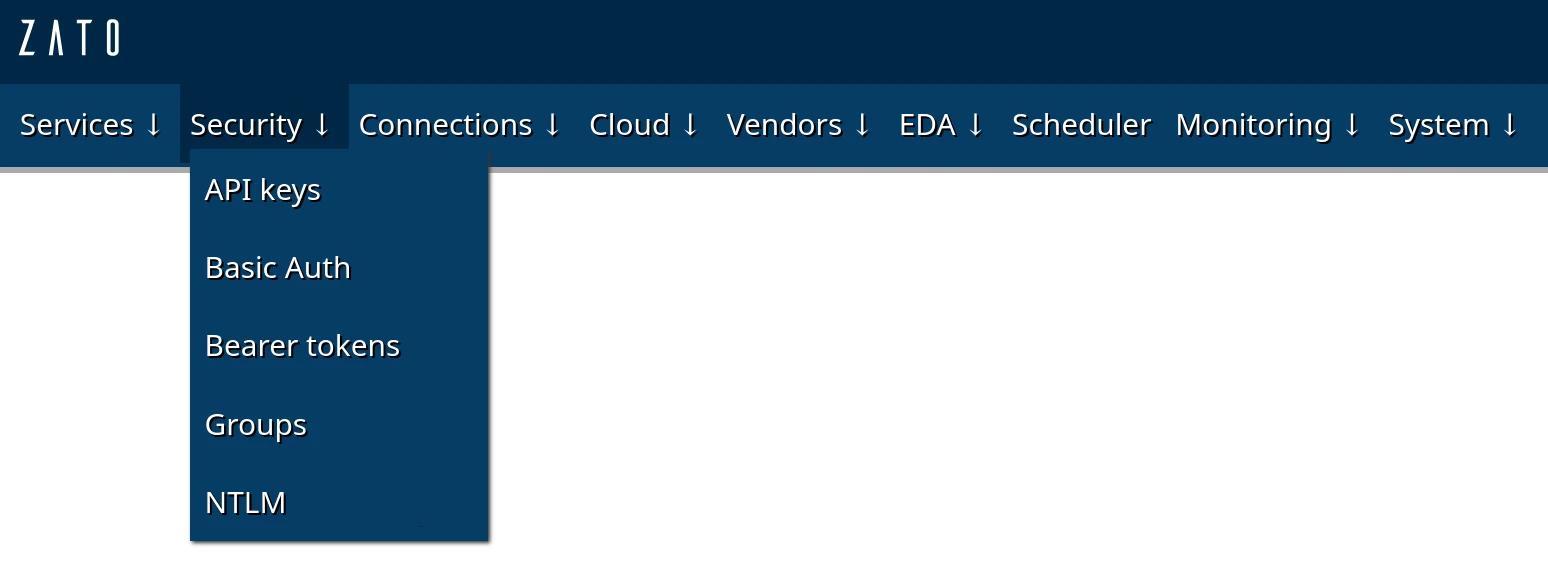
The table below shows which security types can be used with channels and outgoing connections.
| Type | Channels | Outgoing | Use when |
|---|---|---|---|
| Basic Auth | Yes | Yes | Username/password authentication |
| API key | Yes | Yes | API keys in headers |
| Bearer token | --- | Yes | OAuth 2.0 client credentials flow with automatic token refresh |
| Groups | Yes | --- | Multiple clients need access to the same channel |
| NTLM | --- | Yes | Calling Windows/Active Directory-protected APIs |
Before securing a channel, create a security definition in Dashboard, and change the password or API key - they are set to random strings by default.
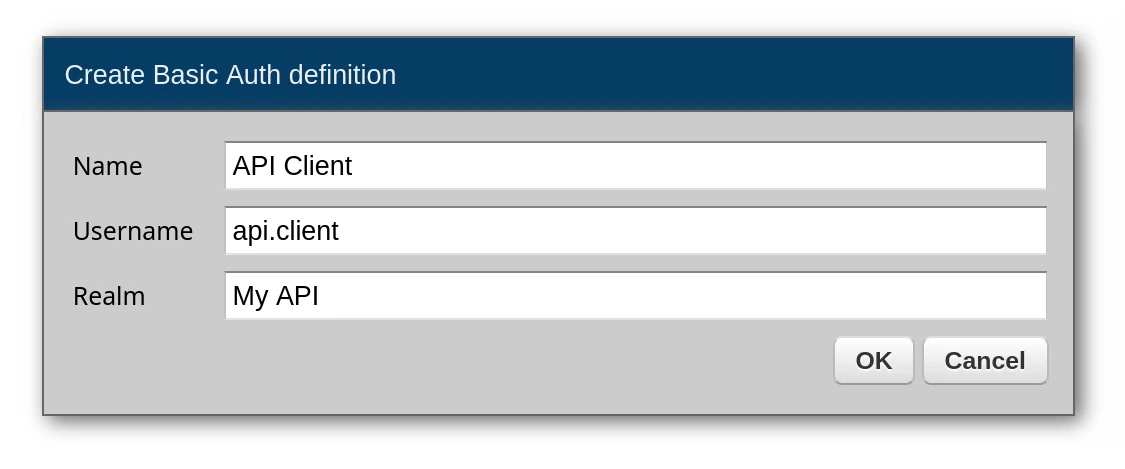
Basic Auth:
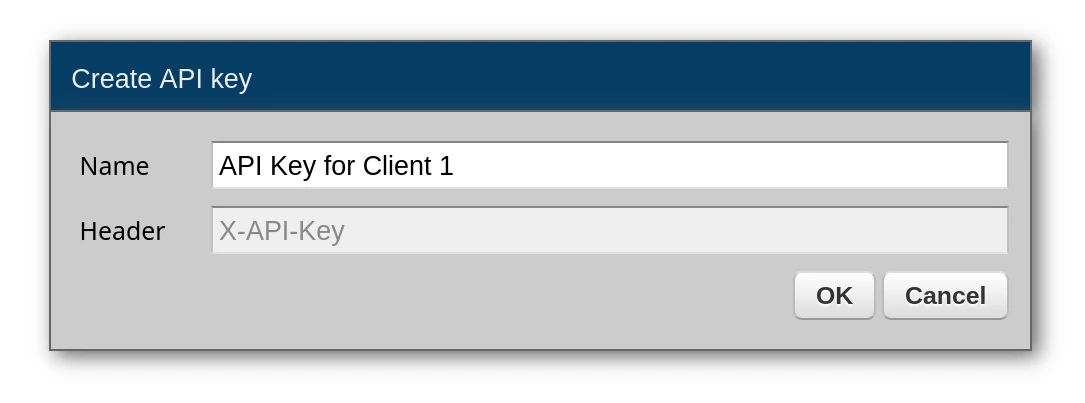
API keys:
Each client application gets its own API key. Note that the header for the application to send is always X-API-Key and the value of this key is sent directly in that header.
E.g. in curl it would look like this:
Create or edit a REST channel and select the security definition. Once attached, Zato rejects requests without valid credentials before your service code runs.
If Zato shouldn't handle authentication (e.g. it's not needed or you're implementing a custom auth scheme in your service yourself), you need to explicitly choose "No security definition".

You can organize security definitions into groups and assign groups to channels. This is useful when multiple clients need access to the same channel.
How it works:
Security → GroupsAny client with credentials from a security definition in the assigned group can access the channel. This lets you:
self.channel.security.usernameWhen a request comes in through a secured channel, you can access the authenticated identity:
# -*- coding: utf-8 -*-

# Zato
from zato.server.service import Service

class SecuredService(Service):

    name = 'my.secured.service'

    def handle(self):

        # Get the username used for authentication
        username = self.channel.security.username

        # Log who is calling
        self.logger.info(f'Request from: {username}')

        # Use it for authorization decisions
        if username == 'admin':
            self.response.payload = self.get_admin_data()
        else:
            self.response.payload = self.get_user_data()
Test with curl:
# With Basic Auth credentials
curl -u admin:secret123 http://localhost:11223/api/secure/data

# With API key in header
curl -H "X-API-Key: your-api-key" http://localhost:11223/api/secure/data

# Without credentials - returns 401
curl http://localhost:11223/api/secure/data
For custom authentication schemes such as HMAC signature verification, implement validation in your service code.
Create a Basic Auth, Bearer token or API key definition, remember to set change its password / secret, and assign it to an outgoing connection.
When you make REST calls, Zato will automatically add all the required headers, and it will automatically obtain OAuth2 tokens if you use Bearer tokens.
Create a Basic Auth definition, then assign it to your outgoing REST connection:
For APIs that require an API key in the X-API-Key header, create an API key security definition and assign it to the connection. Note that the header name must be "X-API-Key".
For APIs that use OAuth 2.0 client credentials flow, create a Bearer token security definition.

Configuration fields:
| Field | Purpose |
|---|---|
| Name | Unique identifier for this security definition |
| Username | Your OAuth client ID (the value sent to the auth server) |
| Auth server URL | Token endpoint, e.g. https://auth.example.com/oauth2/token |
| Scopes | Newline-separated list of OAuth scopes to request |
| Client ID field | Field name for client ID in the token request (default: client_id) |
| Client secret field | Field name for secret in the token request (default: client_secret) |
| Grant type | OAuth grant type (default: client_credentials) |
| Extra fields | Additional key=value pairs to include in token requests |
| Data format | Request format: JSON or Form data (most auth servers expect Form data) |
How it works:
When your service makes an outgoing REST call through a connection with a Bearer token definition attached:
Authorization: Bearer <token> header is automatically added to your requestFor example, if the auth server returns a token valid for 3600 seconds (1 hour), Zato caches it for 1800 seconds (30 minutes). After 30 minutes, the next API call triggers a fresh token request. This ensures tokens are always refreshed well before expiry.
Scopes at runtime:
You can override scopes per-request using the auth_scopes parameter:
conn = self.out.rest['My API'].conn
response = conn.get(self.cid, auth_scopes='read:users write:users')
If not provided, the scopes from the security definition are used.
For custom authentication schemes such as SAP HMAC signatures or session-based login/logout flows, pass custom headers directly to the connection.
